
Tatame TV
Make the TV the heart of the mats.
Any TV or tablet with a browser becomes the gym's screen: arrivals show up within a second, achievements celebrate themselves, and the instructor controls everything from their phone.
Included in the Pro and Max plans
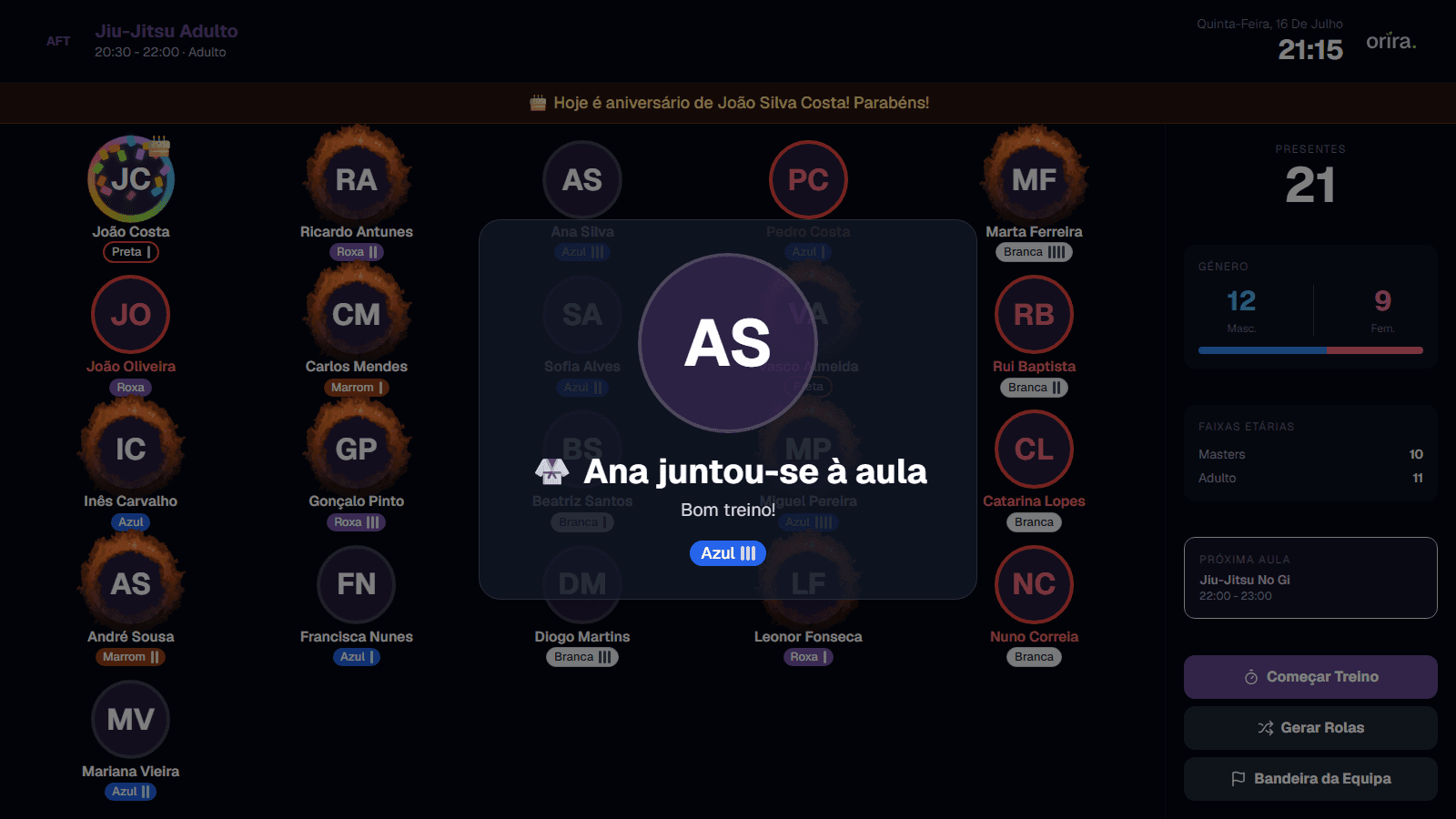
From the tag at the kiosk to the arrival on the TV.
Birthdays and belt promotions, without the instructor touching a thing.
Competition timer and pairs by weight.
A 6-letter code, a QR, and it is paired.
Live
Check-in shows on the TV in under a second.
When someone taps their tag at the kiosk, the welcome card flies onto the grid: photo, name and belt with stripes. The class sees who arrived without anyone touching a thing.
- Animated arrival card with photo, belt and greeting
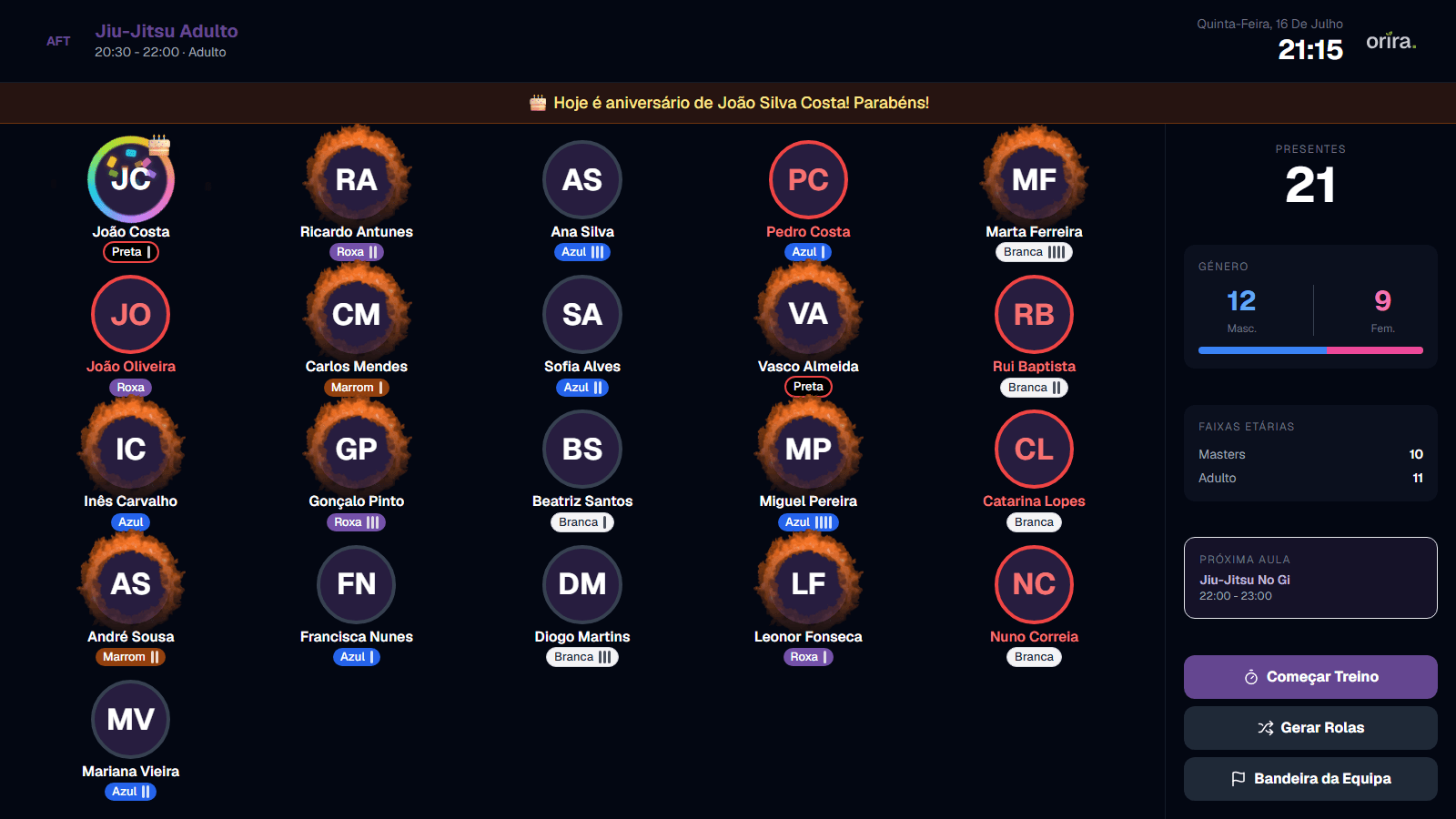
- A grid of everyone present, with automatic pagination
- "Who's missing": ghost avatars of enrolled students yet to arrive
- Live stats: total, gender, weight categories and ages
Culture
The screen celebrates the community on its own.
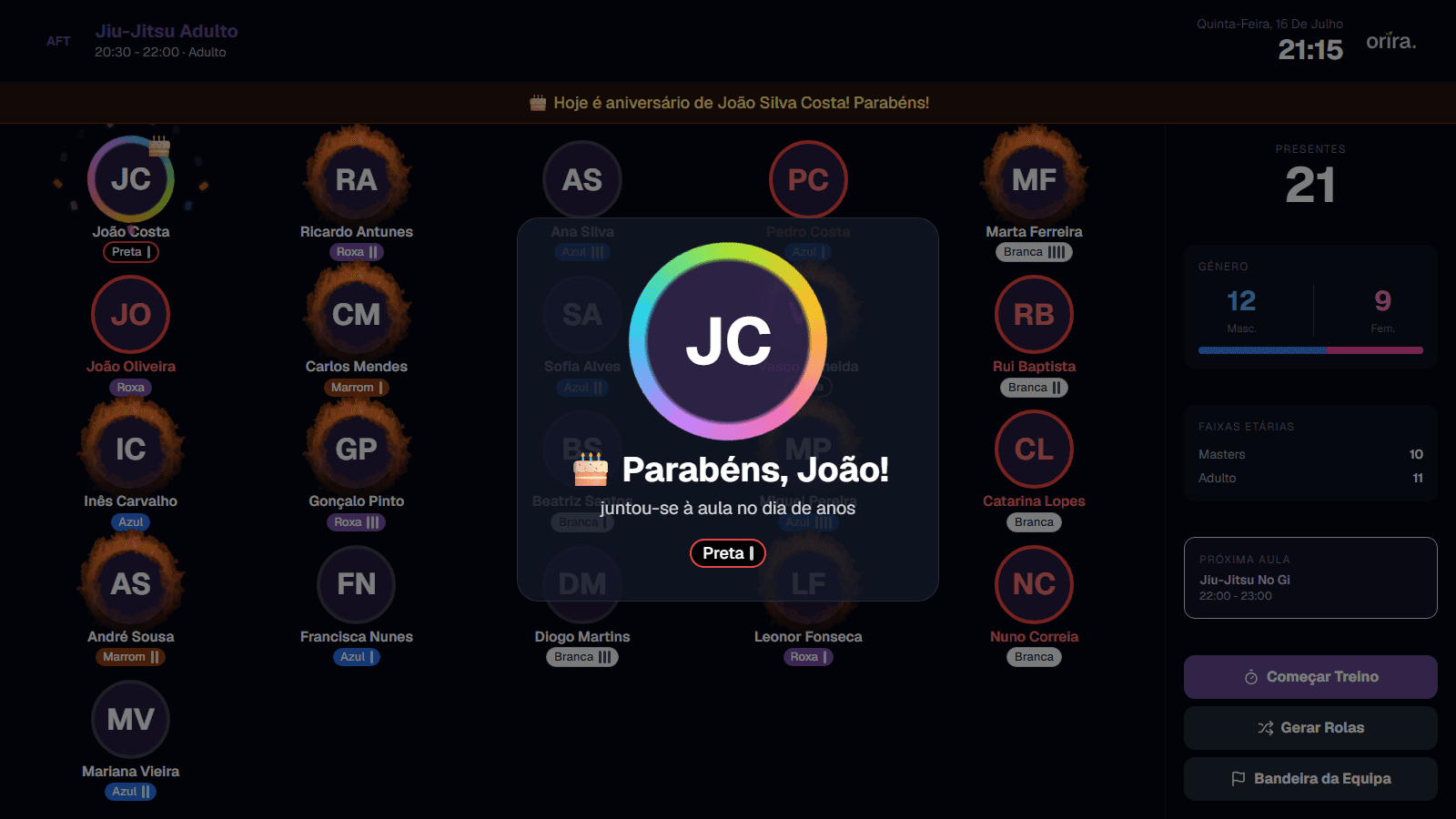
Birthdays, belt promotions and consistency show up without the instructor lifting a finger. And sensitive notices stay subtle - only those who need to see them do.
- Today's birthdays with confetti
- Belt and stripe promotions announced on arrival
- A ring of fire for anyone training 2.5+ times a week
- A discreet red outline when a payment is overdue
Training tools
Round timer and sparring pairs without extra apps.
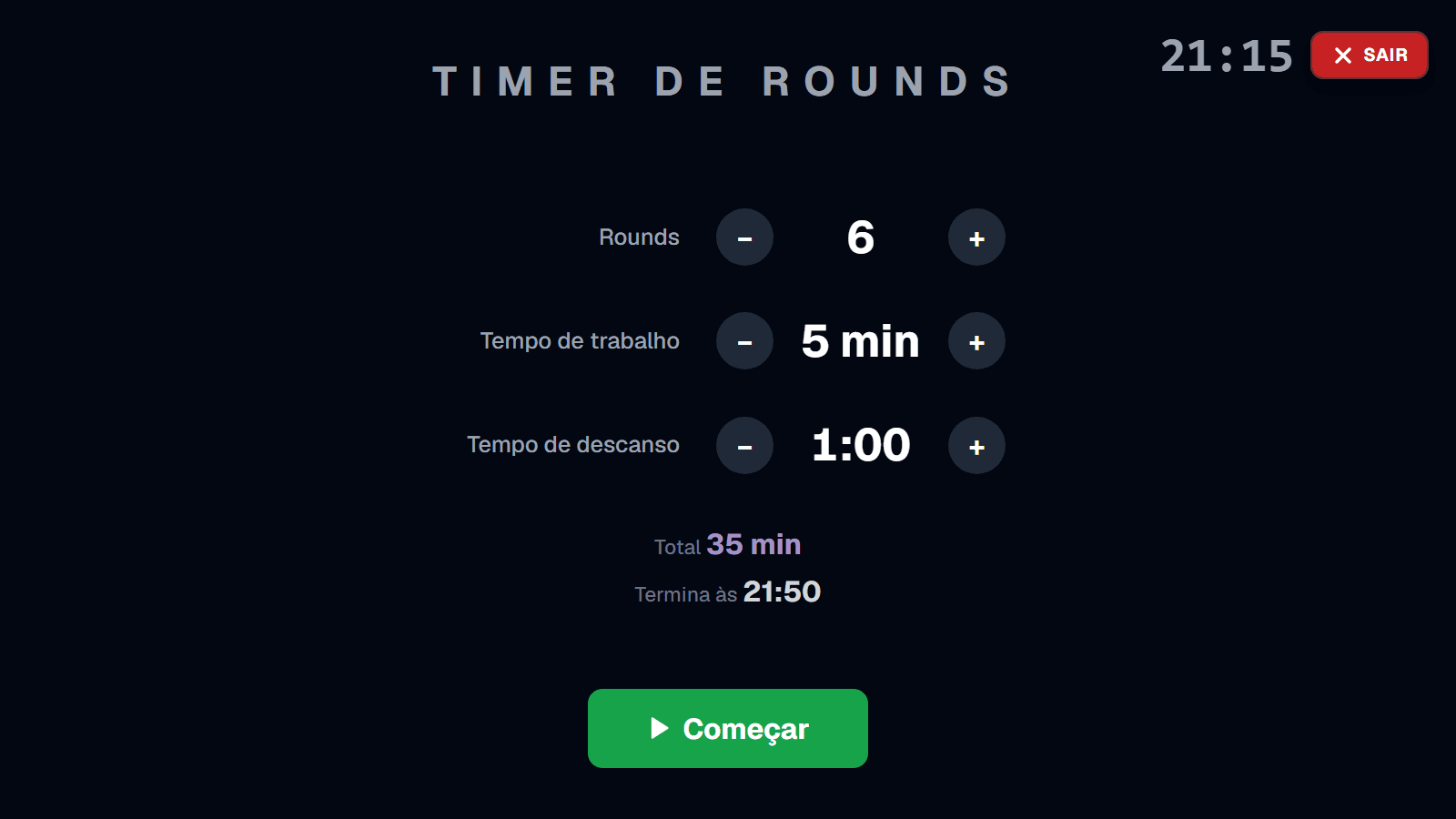
What the instructor used to do with a kitchen timer and a whiteboard now lives on the big screen - controlled from the phone, with a response in under a second.
- Comando Tatame: the instructor drives the TV from their phone
- Fullscreen round timer with competition sounds
- Sparring pair generator by gender, age and weight
- Exclusions and a per-person "resting" toggle
No IT
Connects like a smart TV.
Open the TV's browser, a 6-letter code with a QR appears, you confirm on your phone - and the TV is linked to your mats, with your logo and your colours.
- Any TV or tablet with a modern browser
- Several classes at once with automatic rotation
- Between classes: a countdown to the next one and the team flag
- Your gym's brand: logo, name and colours, in 5 languages
The TV shows a 6-letter code and a QR; you confirm on your phone and it is paired. Just like activating a smart TV - no apps, no boxes, no IT.
Specs.
- Hardware
- A TV or tablet with a modern browser (Chrome, Edge, Safari). No boxes, no proprietary hardware.
- Real time
- Arrivals pushed in under 1 second, with a safety refresh every 10 seconds.
- Multi-mat
- With several classes running, the TV rotates between them every 20 seconds.
- Works with Kiosk NFC
- The student's kiosk check-in shows on the TV instantly - one pairing serves both.
- Plan
- Included in the Pro and Max plans.
- Demo
- Try it now with fictional data - no account, nothing to install.